GPT Image 2 vs Nano Banana: Which AI Image Model Should You Use?
Compare GPT Image 2, Nano Banana 2, and Nano Banana Pro for text rendering, product shots, campaign visuals, quick drafts, and final creative assets.
This guide compares GPT Image 2, Nano Banana 2, and Nano Banana Pro.
Choosing an AI image model is not like choosing a filter.
The model changes how much control you have, how reliable the text is, how polished the final image feels, how many credits you spend, and how quickly you can move from a rough idea to something you can actually use.
On ColabaseAI, the common question is simple:
Should you generate with GPT Image 2, Nano Banana 2, or Nano Banana Pro?
In this guide, "Nano Banana" refers to the Nano Banana image model family available in ColabaseAI. We focus on Nano Banana 2 for fast, efficient generation and Nano Banana Pro for more advanced creative assets.
Here is the practical rule:
- Use Nano Banana 2 when you want fast drafts and multiple directions.
- Use GPT Image 2 when you need tighter control over text, layout, resolution, quality, or reference-image fidelity.
- Use Nano Banana Pro when the prompt is more complex, the visual needs to feel more polished, or you want a stronger Google image model for final creative work.
The mistake is asking which model is "best." The better question is: which model should you use at this stage of the job?
A shorter version: use Nano Banana 2 to explore, GPT Image 2 to control, and Nano Banana Pro to polish.
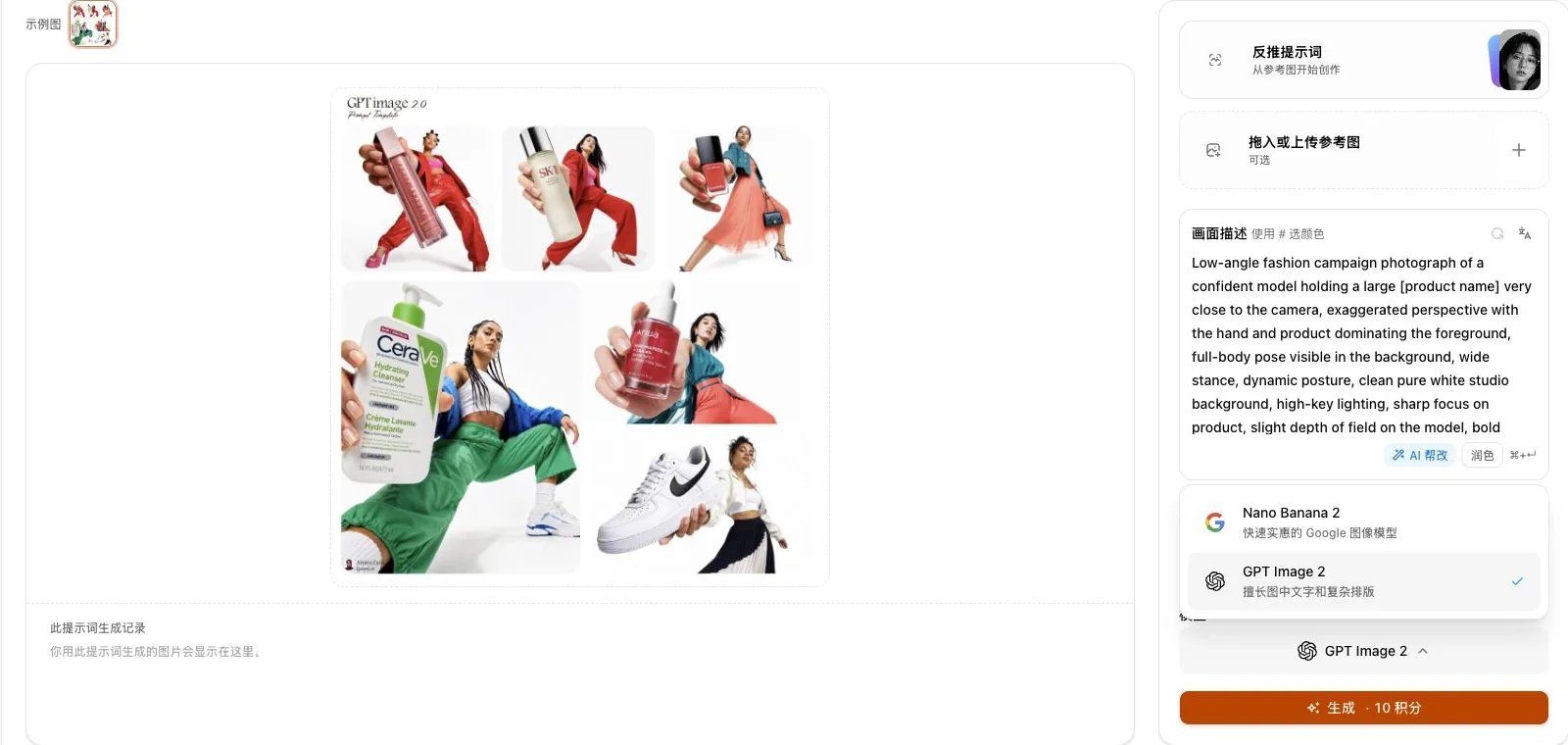
Quick comparison
The credit patterns below describe how the choice feels inside ColabaseAI. Provider API pricing may differ and can change over time.
| Model | Start here when | Watch out for | Best workflow role |
|---|---|---|---|
| GPT Image 2 | You need text, layout control, reference-image fidelity, or specific output quality | Cost can rise with higher quality and larger output sizes | Final assets, text-heavy layouts, product visuals |
| Nano Banana 2 | You want quick drafts, fast iteration, or several prompt variations | Less quality-tier control inside the workflow | Exploration, everyday generation, first drafts |
| Nano Banana Pro | You need more polished creative work, complex instructions, or a stronger Google image model | Usually not the first choice for cheap early drafts | Campaign visuals, complex concepts, premium creative assets |
All three models can produce good images, but they are useful at different stages of the job. The real difference is where each model saves time, where it gives you more control, and where it is worth spending extra credits.
Use GPT Image 2 when you need control
Use GPT Image 2 when the image has to follow the brief closely.
That usually means one of four things: the image contains text, the layout matters, the output size matters, or you are working from reference images.
GPT Image 2 is useful for:
- Posters, ads, and layouts with readable text
- Product visuals with controlled lighting and composition
- Blog covers or hero images that need a specific size
- Reference-image edits where details need to be preserved
- Final assets where reliability matters more than raw speed
The main advantage is control. GPT Image 2 supports flexible output sizes and quality settings, so you can use lower settings for drafts and higher settings for final work. OpenAI's model documentation describes GPT Image 2 as supporting flexible image sizes and high-fidelity image inputs.
Inside ColabaseAI, GPT Image 2 exposes practical quality controls such as Standard, Medium, and High. This product naming is meant to make the choice easier in the app; under the hood, the model is still driven by quality-based output settings.
The tradeoff is cost. GPT Image 2 can be affordable for quick drafts, but higher quality and larger output sizes can cost more. Use it when the extra control is worth it.
Use Nano Banana 2 when you need speed
Use Nano Banana 2 when you are still exploring the direction.
At that stage, you do not need the most expensive model. You need to know whether the composition, mood, subject, and crop are working.
Nano Banana 2 is useful for:
- Testing several visual directions
- Trying prompts from the Inspiration Gallery
- Creating social post concepts
- Exploring campaign moods
- Checking whether a product composition works
- Generating multiple variations before choosing a final direction
Its main advantage is speed and simplicity. You choose the model, pick the format you need, and generate. Google's Gemini image generation documentation describes Gemini 3.1 Flash Image, the model behind Nano Banana 2, as optimized for speed and high-volume use cases.
Nano Banana 2 is not only a draft model. It can produce polished results. But in a practical workflow, its biggest value is that it lets you try more ideas before you commit to a more controlled or higher-cost final generation.
Use Nano Banana Pro when you need polished creative work
Use Nano Banana Pro when the prompt is more complex and the result needs to feel more finished.
This is the model to test when you are making campaign visuals, premium brand assets, complex posters, detailed illustrations, or creative images where the model needs to follow several instructions at once. Google's Gemini image generation documentation describes Gemini 3 Pro Image, the model behind Nano Banana Pro, as optimized for professional asset production and suited to complex graphic design, high-fidelity product mockups, and accurate text rendering.
Nano Banana Pro is useful for:
- Polished campaign visuals
- Detailed artistic images
- Complex product or brand scenes
- Creative assets with multiple visual requirements
- Text-heavy or instruction-heavy layouts where you want to test a Google image model
- Final versions after Nano Banana 2 has helped you find the direction
The easiest way to think about it:
Nano Banana 2 is for speed. Nano Banana Pro is for more serious creative work.
If you already like the direction from Nano Banana 2 but want a more polished version, try the same prompt in Nano Banana Pro before rewriting the prompt from scratch.
Which model should you choose by use case?
| Use case | Recommended model | Why |
|---|---|---|
| Text-heavy poster | GPT Image 2 or Nano Banana Pro | Text and layout matter |
| Product shot | GPT Image 2 | Lighting, fidelity, and final quality need tighter control |
| Social media draft | Nano Banana 2 | Fast iteration matters more than perfect detail |
| Campaign key visual | Nano Banana Pro | The image needs a more polished creative direction |
| Blog cover | Nano Banana 2 first, GPT Image 2 for final | Draft cheaply, then refine |
| Reference-image edit | GPT Image 2 | Reference fidelity matters |
| Complex brand mockup | Nano Banana Pro or GPT Image 2 | Multiple instructions and visual constraints need stronger control |
This table is a starting point, not a rulebook. The fastest way to learn is to run the same prompt through more than one model and compare the results.
A practical workflow: test the same prompt across models
A good way to compare models is to keep the prompt the same.
For example:
A premium product launch hero image for a matte black desk lamp on a clean
wooden desk, soft warm light, minimal background, editorial product photography,
clear empty space on the left for a short headline, no readable text.
Try it in this order:
- Generate first drafts with Nano Banana 2.
- Send the best direction to GPT Image 2 if you need more control over size, layout, quality, or text.
- Test Nano Banana Pro if the image needs a more polished creative look.
- Save the best prompt and result for future campaigns.
This is where model comparison becomes useful. You are not guessing which model is best in theory. You are checking which model works best for this exact image.
You can do this from Generate after choosing a prompt from the Inspiration Gallery. If you are new to the workflow, start with the ColabaseAI getting started guide.
Text in images: be precise about the task
If the image contains words, start by testing GPT Image 2. If the prompt is complex and you want to stay in the Google image model family, also test Nano Banana Pro.
This applies to:
- Posters
- Product labels
- App screenshots
- Social ads
- Presentation covers
- Event graphics
- Brand mockups
Avoid asking any image model to create too much text at once. A short headline or label is more realistic than a full paragraph. For long copy, it is usually better to generate the visual background first and add the text later in a design tool.
A better prompt:
Minimal product launch poster for a smart desk lamp, clean studio background,
large readable headline "FOCUS LIGHT" at the top, product centered, soft warm
lighting, premium editorial product photography, no extra text.
A riskier prompt:
Create a full product landing page with headline, subtitle, pricing, feature
bullets, warranty details, and footer text.
The first prompt gives the model a realistic text task. The second asks it to solve design, layout, and copy accuracy all at once.
Common mistakes when choosing an AI image model
Asking which model is best in general
The better question is which model fits the current stage. Exploration, final production, text-heavy layout, and creative polish are different jobs.
Using the expensive setting too early
Generate a few lower-cost drafts first. Spend more credits only after the direction is clear.
Changing the prompt and the model at the same time
If you change everything at once, you cannot tell what improved the result. Keep the prompt stable when comparing models.
Expecting perfect long text inside the image
Short text can work. Long copy is still better handled in a design tool after the image is generated.
Ignoring the final placement
A website hero image, a blog card, and a vertical social post need different compositions. Choose the model and aspect ratio with the final placement in mind.
FAQs
Is GPT Image 2 better than Nano Banana?
Not always. GPT Image 2 is usually the stronger choice when control, text, reference fidelity, or quality settings matter. Nano Banana 2 is often better for fast exploration. Nano Banana Pro is worth testing for polished Google model output and more complex creative assets.
Is Nano Banana 2 the same as Nano Banana Pro?
No. In ColabaseAI, Nano Banana 2 is the faster, more efficient option for iteration. Nano Banana Pro is the stronger Google image model option for more advanced creative work.
Which model should I use for product shots?
Start with Nano Banana 2 if you are still exploring the scene. Use GPT Image 2 when product clarity, packaging text, reference fidelity, or final quality control matters. Try Nano Banana Pro when the product image is more campaign- or art-direction-driven.
Which model should I use for marketing visuals?
Use Nano Banana 2 to test directions, Nano Banana Pro for polished campaign creative, and GPT Image 2 when the final asset needs text, layout control, reference fidelity, or specific output quality.
Where can I check current credits?
Use the ColabaseAI models page. Credit costs can change as provider pricing and routing change.
Start with the model that matches the job
You do not need to pick one model forever.
Use Nano Banana 2 when you are exploring. Use GPT Image 2 when control, text, size, quality, or reference fidelity matters. Use Nano Banana Pro when you want a more polished Google image model for complex creative work.
The fastest workflow is usually not choosing the most powerful model first. It is testing the same prompt across the right models, comparing the results, and saving the version that works.
Start in the Inspiration Gallery, choose a prompt close to your goal, then generate it with GPT Image 2, Nano Banana 2, or Nano Banana Pro in ColabaseAI.